
Cursor vs Claude Code vs Windsurf vs Replit: Which AI Coding Tool Is Actually Worth It in 2026?
If you’re looking for the best AI app builders in 2026, the difficult part isn’t finding one anymore it’s figuring out which tool is actually right for the app you want to build. There are now dozens of platforms that promise to turn a simple idea into a working application using AI, but they are not all built for the same kind of user or project.
A year ago, the question was mostly:
“Should I use AI to help me code?”
In 2026, that’s no longer the interesting question.
The real question is:
“Which AI coding tool actually fits the way I work?”
Cursor, Claude Code, Windsurf and Replit all promise to make software development faster, but they take very different approaches.
Cursor puts AI directly inside a familiar code editor.
Claude Code works more like an AI software engineer that operates from the terminal.
Windsurf combines an AI-first editor with an agentic workflow.
Replit takes a different approach again: put the development environment in the browser and let AI help you go from an idea to a working application.
After looking closely at how these tools work in 2026, my conclusion is simple:
There isn’t one winner for everyone.
If you choose based only on which tool has the most impressive AI demo, you may end up paying for something that doesn’t fit your workflow at all.
Here’s how I would choose.
Quick Verdict
Best overall AI coding editor: Cursor
Best for autonomous coding work: Claude Code
Best alternative to Cursor: Windsurf
Best for beginners and fast app building: Replit
Best choice if you already live in VS Code: Cursor
Best choice for large multi-file engineering tasks: Claude Code
Best choice if you want an easier browser-based experience: Replit
Best choice if you want an AI-first IDE with strong agent features: Windsurf
But there’s a catch.
The “best” tool depends heavily on whether you’re a developer working inside an existing codebase or someone starting with an idea and trying to turn it into an application.
That distinction matters more than most comparison articles admit.
The Four Tools Are Actually Solving Different Problems
One reason AI coding comparisons are confusing is that these products are often treated as direct competitors when they don’t work in exactly the same way.
Cursor
Cursor is an AI-first code editor based around the familiar VS Code-style development experience.
You still have your files, editor, terminal and development environment, but AI is deeply integrated into the workflow.
You can ask it to explain code, make changes, generate features, refactor files and work across a codebase.
Cursor is particularly attractive if you’re already comfortable with a traditional development environment.
Its current individual Pro plan is $20 per month, while higher tiers provide substantially more usage.
Claude Code
Claude Code is a different animal.
Instead of primarily thinking of it as an AI editor, think of it as an AI coding agent that operates through the terminal.
You can give it a larger task and allow it to inspect the project, modify files and work through multiple steps.
That makes it particularly interesting for developers who are comfortable letting an agent operate across a codebase rather than manually directing every edit.
Several current comparisons position Claude Code particularly strongly for complex multi-file and autonomous engineering work.
Windsurf
Windsurf sits somewhere between the two.
It provides an AI-first coding environment with an agentic approach designed to help with larger development tasks.
The appeal is that you get the familiar editor experience while giving the AI more freedom to reason about and modify the project.
For someone who likes the Cursor concept but wants to explore another AI-native editor, Windsurf is probably the most obvious alternative.
Replit
Replit approaches the problem from a different direction.
Instead of installing and configuring a local development environment, you can work in the browser and use Replit’s AI tools to build applications.
Its current free Starter plan includes daily agent usage, a built-in database and the ability to publish one live project. The Core plan is currently listed at $20 per month, or $17 per month when billed annually.
That makes Replit particularly interesting for beginners, rapid prototypes and people who don’t want to spend their first afternoon configuring an IDE.
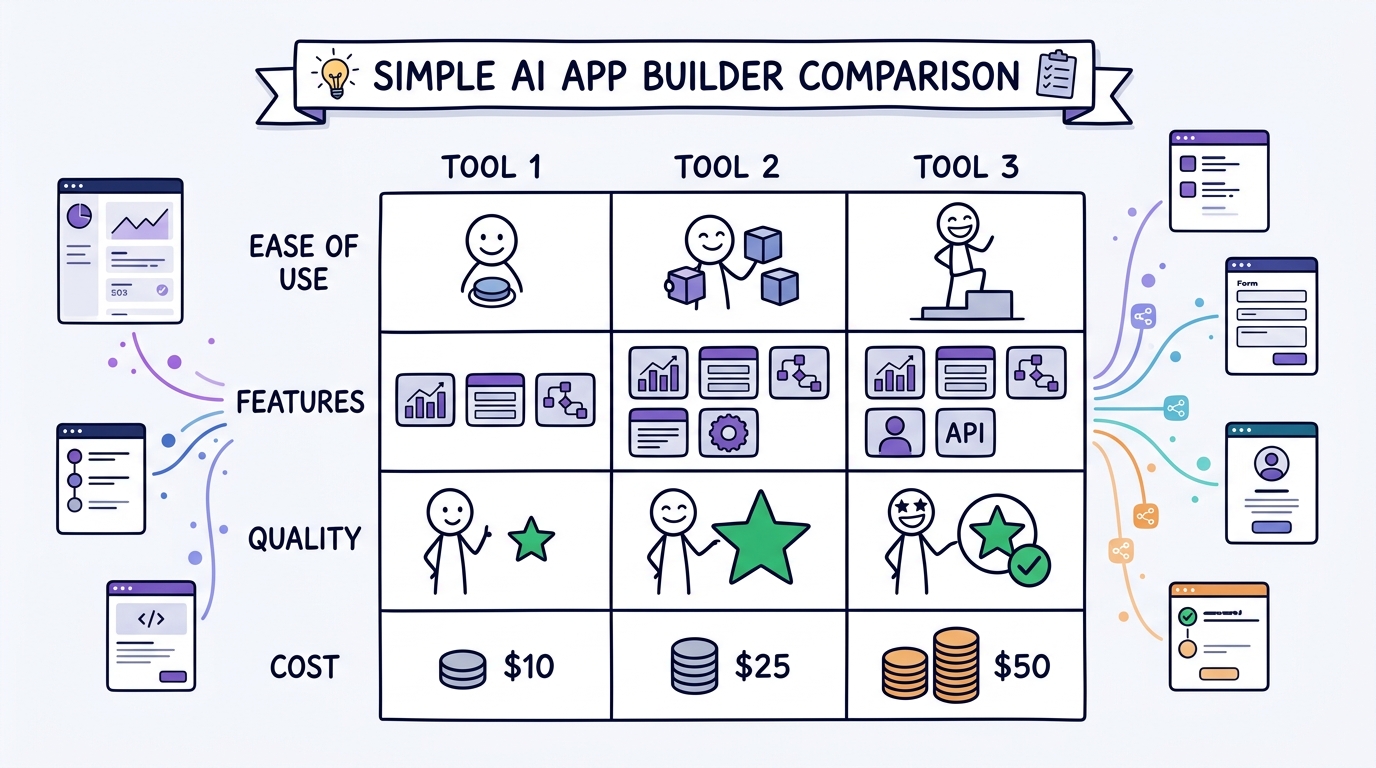
Cursor vs Claude Code vs Windsurf vs Replit
Here’s the simplest way I would think about them:
| Tool | Best For | Learning Curve | Main Strength |
|---|---|---|---|
| Cursor | Everyday development | Medium | AI inside a familiar editor |
| Claude Code | Complex coding tasks | Higher | Autonomous multi-step work |
| Windsurf | AI-first development | Medium | Agentic IDE workflow |
| Replit | Beginners and prototypes | Low | Browser-based app building |
This isn’t a scientific benchmark.
It’s a practical decision guide.
And that’s what matters when you’re about to spend money on one of these tools.
Cursor: The Best Choice for Most Developers?
If I had to recommend one tool to a developer who already understands software development, Cursor would probably be my default starting point.
The reason isn’t that it necessarily has the smartest AI.
It’s the workflow.
You’re still working in an environment that feels familiar if you’ve used VS Code or a similar editor.
The AI isn’t separated from your code.
It’s right there.
That matters because good AI-assisted development isn’t just about generating code. It’s about repeatedly moving between:
Understand → Change → Test → Fix → Refactor → Repeat
Cursor fits naturally into that loop.
Its current pricing also makes it relatively straightforward for individual users: Hobby is free, while Pro is $20 per month, with higher Pro+ and Ultra tiers for heavier users.
Where Cursor shines
Cursor makes the most sense when:
- You already know how to code
- You work inside an existing repository
- You want AI assistance while editing files
- You frequently refactor or extend applications
- You want access to multiple AI models
- You want an IDE rather than a separate chatbot
Where Cursor isn’t perfect
The more autonomy you give an AI coding agent, the more important your review process becomes.
Recent security incidents involving AI coding tools have also highlighted a broader issue: AI-generated or AI-assisted code still needs proper security review. AI can accelerate development, but it can also accelerate mistakes.
That’s not a reason to avoid Cursor.
It’s a reason not to blindly accept everything it produces.
Claude Code: The Tool I’d Choose for Bigger Tasks
Claude Code is probably the most interesting option if your main goal is letting AI handle a larger piece of development work.
Instead of asking:
“Change this line.”
You can think more in terms of:
“Understand this part of the application, find the problem, make the necessary changes and test the result.”
That’s a very different development model.
It can be extremely powerful when you’re dealing with a large codebase or a task involving multiple files.
The trade-off is that you need to be more comfortable with development concepts.
Claude Code isn’t necessarily where I’d send someone who has never opened a terminal before.
Where Claude Code shines
It’s particularly attractive for:
- Large codebases
- Multi-file changes
- Refactoring
- Debugging
- Automation
- Developers comfortable with terminals
- Tasks where you want the AI to work through several steps
The downside
The power comes with responsibility.
If you don’t understand what the agent is doing, it becomes harder to recognize when it has made a bad architectural decision.
That means Claude Code may actually be less beginner-friendly than a simpler AI app builder, even if it is more capable for serious engineering work.
Windsurf: The Middle Ground
Windsurf is interesting because it tries to combine the familiar feeling of an AI-powered editor with more autonomous agent behavior.
If Cursor feels like:
“I’m coding, and AI is deeply integrated into my editor.”
Windsurf is closer to:
“I’m working with an AI agent inside my development environment.”
That distinction sounds small.
In practice, it can change how you work.
Current 2026 comparisons generally position Windsurf as a strong alternative for developers who want an agentic IDE without moving completely into a terminal-first workflow.
Where Windsurf makes sense
Choose Windsurf if:
- You want an AI-first IDE
- You like agentic workflows
- You don’t want a terminal-only experience
- You’re looking for an alternative to Cursor
- Value is important to you
The problem
The AI coding market is moving so quickly that today’s feature advantage can disappear surprisingly fast.
So I wouldn’t choose Windsurf simply because someone tells you it has a particular model or feature that Cursor doesn’t.
Choose it because the workflow feels better for you.
Replit: The One I’d Recommend to a Beginner
Replit is probably the easiest recommendation on this list for someone who says:
“I have an idea for an application, but I’m not really a developer.”
That’s because you don’t have to start by setting up a local development environment.
You can work from the browser.
You can ask the AI to help create an application.
You can use its built-in development environment.
And you can publish the result.
That is a very different proposition from installing an AI coding editor and then figuring out repositories, dependencies, terminals and deployment.
Replit’s current Starter plan also gives users free daily agent usage and one published live project, making it relatively easy to experiment without immediately paying.
Where Replit shines
Replit is particularly good for:
- Beginners
- Students
- Entrepreneurs
- Prototypes
- Small web applications
- Learning by building
- Quickly publishing an idea
The limitation
If you’re an experienced developer working on a large existing codebase, you may eventually want the control and flexibility of a dedicated development environment.
That’s where Cursor, Claude Code or Windsurf can become more attractive.
What About Lovable?
I also wrote a full hands-on review of Lovable after using it to build a multi-role app with a four-level approval workflow. You can read my Lovable Review 2026 to see exactly what I built and what I learned.
That experience is important because it shows where AI app builders fit into this discussion.
Lovable isn’t exactly the same type of product as Cursor or Claude Code.
Lovable is much more focused on turning an idea into an application through natural-language interaction.
That makes it particularly attractive for prototypes and people who think in terms of:
“I need this application to do X.”
rather than:
“I need to modify this TypeScript component.”
If that’s how you think, you may find Lovable or Replit more approachable than Cursor or Claude Code.
You can read my full hands-on experience here:
Lovable Review 2026: I Built a Multi-Role App With AI
So Which One Should You Actually Choose?
Here’s the decision I would make.
Choose Cursor if…
You are already a developer and spend most of your day inside an editor.
You want AI deeply integrated into your coding workflow without completely changing how you develop software.
My pick: Cursor.
Choose Claude Code if…
You are comfortable with the terminal and want an AI agent capable of handling larger multi-step engineering tasks.
My pick: Claude Code.
Choose Windsurf if…
You want an AI-first IDE and like the idea of giving an agent more responsibility while still working inside a graphical development environment.
My pick: Windsurf.
Choose Replit if…
You’re a beginner, entrepreneur or student and your priority is getting from an idea to a working application without dealing with a complicated development setup.
My pick: Replit.
Choose Lovable if…
Your priority is rapidly turning a business idea or application concept into a polished web prototype using natural-language instructions.
My pick: Lovable.
The Biggest Mistake People Make With AI Coding Tools
It’s easy to get distracted by benchmarks.
One model scores higher.
Another tool has a bigger context window.
Another one supports more models.
Another has a cheaper subscription.
None of that matters if the tool doesn’t fit the way you actually work.
The best AI coding tool isn’t necessarily the one with the highest benchmark score.
It’s the one that lets you move from:
Idea → Code → Test → Fix → Finished
with the least friction.
And that will be different for different people.
Should You Pay for an AI Coding Tool?
This is where I’d be careful.
Don’t subscribe to four different tools because every YouTuber says one of them is revolutionary.
Pick one.
Use it seriously for a month.
Then evaluate:
- How much time did it save?
- How often did it make mistakes?
- Did you actually use the advanced features?
- Did it reduce repetitive work?
- Did it help you finish projects faster?
- Was the subscription cheaper than the time it saved?
If the answer is no, cancel it.
AI subscriptions can quietly become another version of the old software-subscription problem: ten tools that you barely use.
My Practical Ranking for 2026
If I had to rank these tools based on who should use them, rather than pretending there is one universal winner:
#1 — Cursor
Best overall for developers
Cursor gets my first place because it provides a strong balance between traditional development and AI-assisted coding.
You don’t have to completely change the way you work to benefit from it.
#2 — Claude Code
Best for serious AI-assisted engineering
If you are comfortable with the terminal and want an agent that can take on larger tasks, Claude Code is extremely compelling.
#3 — Replit
Best for beginners and rapid prototypes
Replit wins when simplicity matters more than having a sophisticated local development environment.
#4 — Windsurf
Best Cursor alternative
Windsurf is still a serious option and may actually be the better fit for some developers.
The gap between these products is not large enough that I would tell everyone to use one and ignore the others.
Final Verdict
There is no single “best AI coding tool” in 2026.
And honestly, anyone telling you otherwise is probably simplifying the decision too much.
Cursor is my choice for the average professional developer who wants AI deeply integrated into their everyday coding environment.
Claude Code is the one I’d look at if autonomous, multi-step engineering work is the priority.
Windsurf is a strong alternative for developers who want an agentic AI-first IDE.
Replit is probably the easiest starting point for beginners and people who want to build and publish without setting up a traditional development environment.
And Lovable remains particularly interesting if your starting point is an application idea rather than an existing codebase.
The biggest shift isn’t that one of these tools has “won.”
It’s that the definition of software development is changing.
You no longer have to start with:
“How do I code this?”
Increasingly, you can start with:
“What am I trying to build?”
The tools can help with the rest.
But you still need to know whether what they built actually works.
And that’s the part AI hasn’t made optional.
Frequently Asked Questions
Which AI coding tool is best in 2026?
There isn’t one universal winner. Cursor is a strong overall choice for developers, Claude Code is particularly powerful for autonomous multi-step work, Windsurf is a strong AI-first IDE alternative, and Replit is especially approachable for beginners and rapid prototypes.
Is Cursor better than Claude Code?
Not universally. Cursor is better suited to developers who want AI deeply integrated into their editor, while Claude Code is better suited to developers who want a more autonomous terminal-based coding agent.
Is Replit good for beginners?
Yes. Replit’s browser-based environment and AI-assisted development workflow make it one of the easier ways for a beginner to start building an application.
Is Windsurf better than Cursor?
It depends on your workflow. Both are AI-first development environments, and the better choice depends on how much autonomy you want from the AI and which interface you prefer.
Is Lovable better than Cursor?
They are designed for somewhat different users. Lovable is particularly useful for turning application ideas into working web prototypes through natural-language instructions, while Cursor is better suited to developers working directly with an existing codebase.
Can AI coding tools replace developers?
Not completely. They can dramatically accelerate development, but developers are still responsible for architecture, security, testing, requirements, debugging and deciding whether the generated solution is actually correct.
Should I pay for multiple AI coding tools?
Probably not at first. Pick one tool that matches your workflow, use it seriously, and only add another when you have a specific reason to do so.