Lovable Review 2026: I Built a Multi-Role App With AI — Here’s What Happened
I wanted to see how far an AI app builder could actually take me without spending days writing code from scratch.
So I tried Lovable.
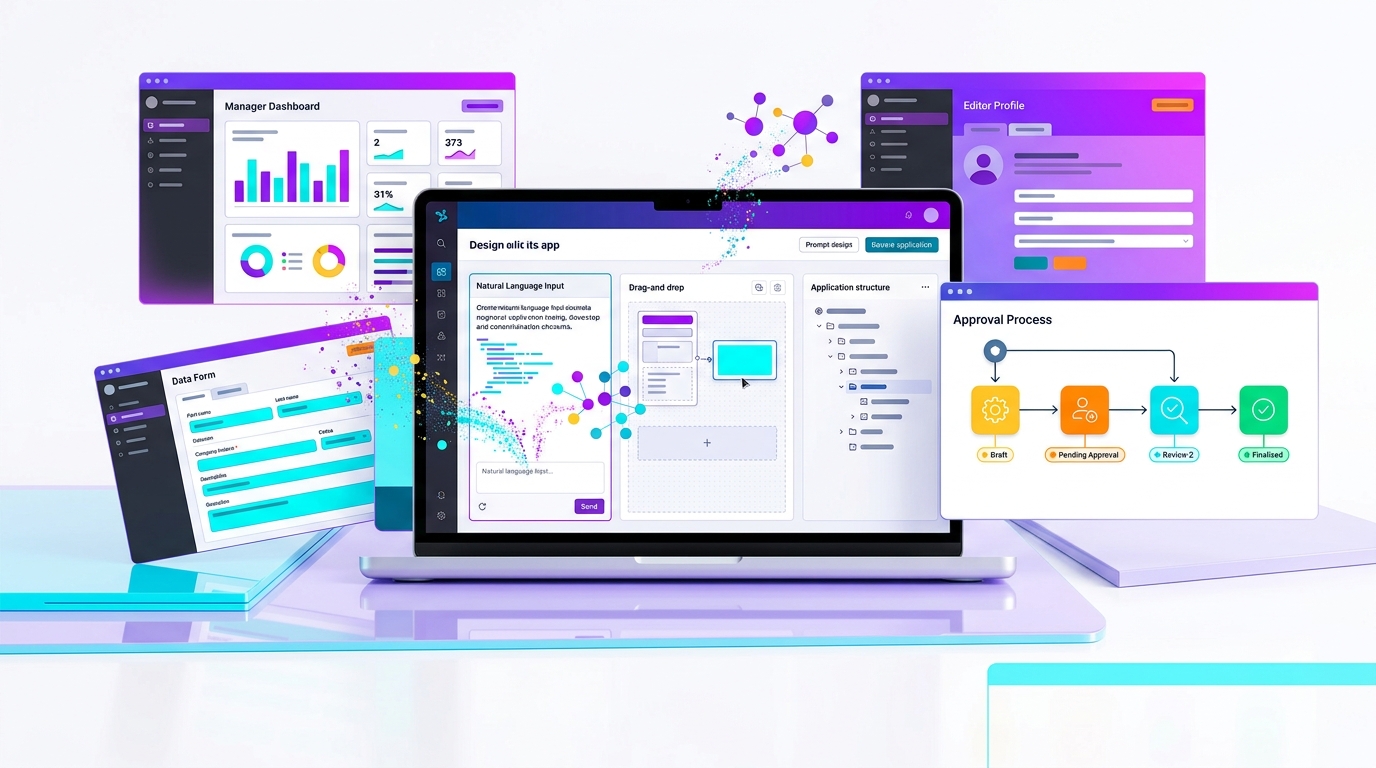
Instead of building a simple landing page or basic calculator, I decided to use it for something more complicated: an application with multiple user roles, different screens for each role, and a four-level approval workflow.
I used Lovable’s free plan and built the prototype over about five days. The final result was good enough for me to publish as a working demo.
So, is Lovable actually useful for building applications, or is it mainly good for making impressive-looking demos?
After using it myself, my answer is:
Lovable is genuinely impressive for turning an idea into a working application quickly, especially if you can explain what you want clearly. But the free-plan credit limits become a real constraint once your project gets more complicated.
Lovable Review: Quick Verdict
Overall rating: 8/10
Best for: Rapid prototypes, MVPs, internal tools, and people who want to turn an idea into a working web application without starting from a blank codebase.
Not ideal for: People expecting AI to build a complicated production application perfectly without testing and technical oversight.
Biggest strength: You can describe what you want in normal language and Lovable can turn that description into a working application.
Biggest weakness: Credits can disappear quickly when you’re building and fixing a larger project.
Would I use it again? Yes. For prototypes and early-stage products, I found it genuinely useful.
What Is Lovable?
Lovable is an AI-powered application development platform that lets you create web applications using natural-language instructions.
Instead of starting with an empty development environment and manually creating every part of the application, you describe what you want and Lovable generates the application for you.
The important part is that Lovable isn’t simply creating a static webpage. It is designed to create working applications and can handle things such as interfaces, application logic, databases, authentication and integrations.
That makes it much more interesting than an AI tool that only creates a pretty landing page.
For me, the real test was whether it could handle something more complicated than a simple website.
My Lovable Review Experience
This is the part of the review that matters most because I actually used Lovable to build a reasonably complicated prototype.
I didn’t ask it to create a simple landing page or a basic three-page website.
My application had:
- Multiple user roles
- Different screens for different users
- A four-level approval workflow
- Different stages of the process
- Different actions depending on the user’s role
- Multiple screens connected together
- A published version that I could demonstrate
I used the free version of Lovable.
The project took me around five days to get to the demo stage. The reason it took five days wasn’t because Lovable was slow. The application itself was fairly extensive, with multiple roles, screens and a four-level approval process.
For a prototype of this complexity, I was surprised by how quickly I could get something functional.
How I Built the App With Lovable
The biggest surprise for me was how little detail I needed to put into some prompts.
I could explain what I wanted in relatively normal language instead of writing a highly technical specification for every screen.
I would describe the user role, what that user needed to see, what action they needed to perform, and what should happen next.
Lovable would then create or modify the application.
It wasn’t perfect every time. I still had to look at the result, test it, identify things that needed changing and explain those changes to Lovable.
But that conversational workflow made the development process much easier.
I didn’t have to think about every line of code before I could see something working.
For me, that was one of the biggest advantages of using Lovable.
The Four-Level Approval Workflow Was the Real Test
The most useful part of my experiment was the approval workflow.
My prototype wasn’t just a collection of unrelated screens. It had a process involving four levels of approval.
That meant different users had different responsibilities, and the next stage depended on what happened at the previous stage.
This was where Lovable became much more interesting than a normal AI website generator.
I wasn’t just asking it to create attractive screens. I was using it to build the logic connecting different users, screens and stages of the workflow.
For a prototype, I found that extremely useful.
It allowed me to take an idea that would normally require a fair amount of development work and turn it into something I could actually demonstrate.
What Lovable Actually Feels Like to Use
The easiest way to describe Lovable is that it feels more like having a conversation with a developer than using a traditional website builder.
You explain what you want, look at the result, and then tell it what needs to change.
That approach worked particularly well for my prototype because I could focus on the business workflow rather than thinking about every technical implementation detail from the beginning.
For smaller changes, I found that a simple explanation was often enough to get the result I wanted.
For larger changes, I had to be more specific and explain exactly what should happen.
That difference becomes important as the application gets more complicated.
What I Liked About Lovable
1. You Can Start With an Idea Instead of a Codebase
This is probably Lovable’s biggest strength.
If you have an application idea but don’t want to spend the first few days setting up a development environment, Lovable gives you a much faster starting point.
You explain the idea and start building.
For someone trying to validate a business idea, this can be a big advantage. You can get something working first and then decide whether the idea is worth taking further.
2. Natural-Language Prompting Actually Works
I expected that I would need extremely detailed prompts for everything.
I didn’t.
For many changes, I could explain what I wanted in fairly straightforward language and Lovable would understand the direction I was trying to take.
That doesn’t mean it always got everything right. It didn’t.
But being able to communicate changes conversationally made the whole process much easier.
For someone who knows what they want the application to do but doesn’t want to write every piece of code manually, this is a major advantage.
3. It’s Very Fast for Prototyping
This is where I would recommend Lovable most strongly.
If you have an idea for an application, you can go from an initial concept to something people can actually interact with much faster than starting development from scratch.
That’s particularly useful for prototypes and early MVPs.
Instead of spending weeks wondering whether an idea will work, you can build an early version, show it to people and get feedback.
For me, the five-day build was a good example of this. My prototype had multiple roles, multiple screens and a four-level approval workflow, yet I was able to get it to a published demo relatively quickly.
4. You Can Publish What You Build
This was important for me because I wanted to demonstrate the prototype rather than just look at it inside the development environment.
I was able to publish the project and use it as a demo.
That makes the tool much more practical than an AI tool that only generates a design or a piece of code that you still have to assemble yourself.
For prototypes, being able to quickly get something online is a big part of the value.
What I Didn’t Like About Lovable
1. The Credit System Becomes a Problem
This was the biggest limitation I experienced.
I used the free version, and the limited credits meant I had to manage my usage carefully.
That becomes more noticeable when you’re working on a larger project.
You don’t only need credits to create the first version. You also need them when you want to make changes, fix problems, improve screens and iterate on the application.
With a simple project, this may not bother you much.
With something more extensive, like the multi-role application I was building, it can become a real constraint.
Lovable’s current Free plan provides 5 daily build credits, with a monthly limit of 30 credits. So the free plan is useful for trying the platform, but I wouldn’t expect it to be enough for unlimited development of a large application.
2. Bigger Projects Need Better Planning
The more complicated your application becomes, the more important your instructions become.
You can start with simple prompts, but eventually you need to understand exactly what each user can do, what each screen should display and what should happen after every action.
AI can help you build the application, but it can’t replace your understanding of the business process.
If you don’t know what you want the application to do, Lovable isn’t going to magically solve that problem for you.
3. You Still Need to Test Everything
This is probably the biggest mistake someone can make with an AI app builder.
You see a working screen and assume the application is finished.
Don’t.
If your application has different roles and approval levels, you need to test every important path.
For example:
- A user submits a request.
- Level 1 approves it.
- Level 2 receives it.
- Level 3 receives it after the second approval.
- Level 4 gives the final approval.
Then test what happens when someone rejects a request.
Test what happens when a request is sent back for correction.
Test whether a user can access something they shouldn’t.
AI can generate the application quickly.
You are still responsible for checking whether the application actually behaves correctly.
Is Lovable Good for Non-Developers?
Yes, but there is an important qualification.
You don’t necessarily need to be an experienced programmer to start building with Lovable.
But you do need to understand the problem you’re trying to solve.
For example, if you’re building an employee approval application, you should understand who submits the request, who reviews it, what happens when it is rejected, who can see it and what happens after the final approval.
You don’t necessarily need to know how to write the code that implements those rules.
But you need to understand the rules.
That’s where I think AI app builders like Lovable become particularly powerful.
Who Should Use Lovable?
A founder with an app idea
If you have an idea but don’t want to spend a large amount of money on development before knowing whether people will actually use it, Lovable can be a useful way to build an early version.
A product manager
It can be useful when you need something more tangible than a requirements document or static mockup. A working prototype can make it much easier to explain an idea and collect feedback.
A developer
Developers can use AI-assisted development to speed up parts of the development process. The benefit isn’t necessarily replacing development work, but reducing the amount of repetitive work involved.
A business professional
If you understand a business process and want to experiment with an internal tool or workflow, Lovable gives you a way to create a working concept without starting everything from scratch.
Someone learning to build software
It can also be an interesting way to learn how applications are put together because you can see how changes to your instructions affect the application.
Who Should NOT Use Lovable?
I wouldn’t recommend using Lovable with the expectation that you can describe your entire business in one prompt and receive a finished production system.
That’s unrealistic.
For a serious application, you still need proper requirements, testing, security checks, data protection, authentication, error handling and ongoing maintenance.
AI can reduce development effort.
It doesn’t eliminate engineering responsibility.
Lovable Pricing: Is the Free Plan Enough?
For trying Lovable, the free plan is a good place to start.
That’s exactly what I did.
The problem comes when you start building something larger.
Lovable currently offers a Free plan with 5 daily build credits and a maximum of 30 build credits per month. The free plan also includes public projects.
For a small experiment, that’s enough to understand how the platform works.
For a larger application, however, the limits can become restrictive because you’re not only using credits to create the initial version. You may also need them for changes, fixes and repeated iterations.
Lovable also has paid plans for users who need more usage and additional features.
Should You Pay for Lovable?
I wouldn’t recommend paying immediately.
Start with the free plan.
Build something real.
See how quickly you use your credits and whether the workflow actually suits you.
If you find yourself consistently hitting the limits and the tool is saving you enough time to justify the cost, then upgrading makes more sense.
That’s a much better way to decide than paying for a subscription before you’ve actually used the platform.
Lovable vs Traditional Development
This isn’t really an either-or decision.
I wouldn’t say that AI has replaced developers. My experience doesn’t support that.
What I would say is that AI has dramatically reduced the effort required to go from an idea to a working prototype.
That’s a very different thing.
For prototypes and early MVPs, the time savings can be significant.
For a production application, you still need proper engineering, testing, security and ongoing maintenance.
I see Lovable more as a way to accelerate development rather than a complete replacement for development.
My Final Verdict
My Rating: 8/10
Ease of use: 9/10
Prototype building: 9/10
Natural-language development: 9/10
Speed: 9/10
Complex application workflows: 8/10
Free plan: 6/10
Production readiness without additional engineering: 6/10
The biggest thing I learned from using Lovable is that you don’t necessarily need to write enormous prompts to get useful results.
You need to understand what you’re trying to build.
In my case, I was able to create a prototype with multiple user roles, multiple screens and a four-level approval workflow and publish it as a working demo in about five days.
The biggest obstacle wasn’t getting started. It was managing the limited credits as the project became more extensive.
So if you’re considering Lovable, my advice is simple:
Start with the free plan.
Build something real.
Don’t waste your credits asking it to create a basic landing page that you could make yourself in a few minutes.
Give it a real problem to solve.
Then you’ll quickly discover whether Lovable is useful for you.
For prototypes and early MVPs, I think Lovable is genuinely worth trying.
Frequently Asked Questions About Lovable
Is Lovable good for beginners?
Yes. You don’t need to be an experienced programmer to start using Lovable. However, you still need to understand what you want to build and test the results carefully.
Can Lovable build a real application?
Yes. Lovable can create working web applications rather than just static designs. However, a production application still requires proper testing, security checks and engineering oversight.
Is Lovable free?
Lovable has a Free plan. The current Free plan includes 5 daily build credits with a monthly limit of 30 credits. Paid plans are available for users who need more usage.
Can I publish an application made with Lovable?
Yes. Publishing a project is one of the useful parts of the platform. I used this feature to publish my own prototype as a demo.
Can Lovable handle multiple user roles?
It can be used to build applications with different user roles and workflows. In my own project, I created multiple roles with different screens as part of a four-level approval workflow.
How long does it take to build an app with Lovable?
It depends heavily on the complexity of the application. A simple project can be created quickly, while a larger application can take several days of prompting, testing and refinement. My own prototype took around five days.
Is Lovable going to replace developers?
I don’t think so. It can reduce the amount of development work needed for prototypes and some applications, but serious production software still needs proper engineering, testing, security and maintenance.